
Design leather goods
The Leather workbench makes leather goods from flat pieces: a wallet, a card holder, a strap. You draw each piece as a sketch, give it a thickness and a leather, stitch pieces together through all their layers, and fold them. Everything stays parametric: change a sketch or a value and the pieces, stitches and holes follow.
Access: in a part, click the workbench at the right of the top bar and choose Leather.
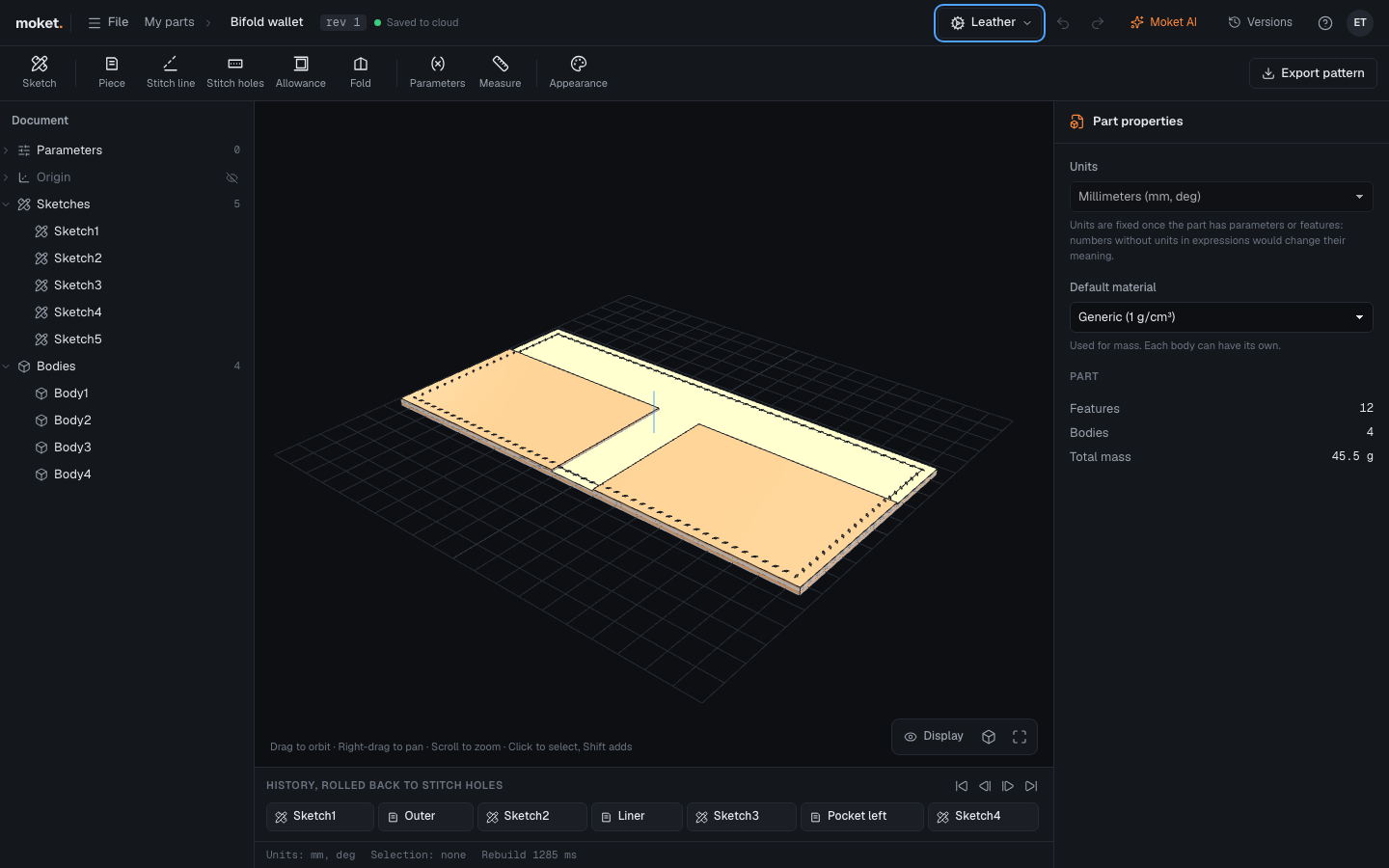
The Leather Workbench is Moket's own plugin and is on for every account. To turn it off, open Settings > Plugins. See Install plugins.
Make a leather item
- Sketch the first piece's outline as a closed shape, on a plane. See Create your first part.
- Click Piece. The newest closed sketch area is picked; set its Thickness, Leather and Finish, and click OK.
- For a piece that lies on another one (a liner, a pocket), sketch it on the face of the piece below, then make it a Piece too.
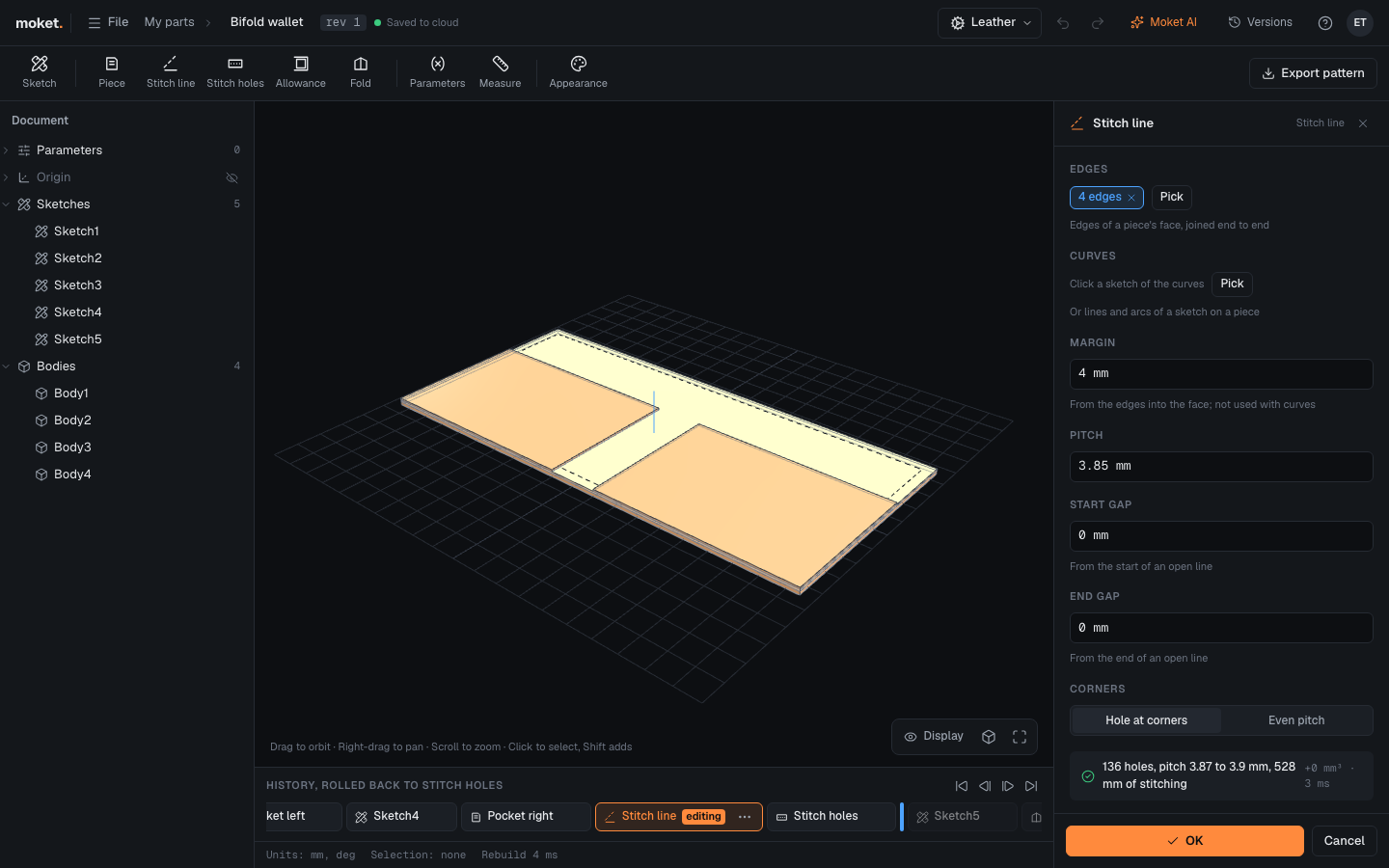
- Click Stitch line and click the edges of a piece's face that the stitch follows. The holes are spread along them, and the dialog shows how many there are.
- Click Stitch holes, choose the stitch line, and click a face of every piece the stitch goes through. Each layer gets the very same holes.
- To fold the item, sketch a line on it where it folds, click Fold, and click a face of every piece that folds.
Piece
A flat piece of leather from a closed area of a sketch, as it is cut.
| Option | What it does |
|---|---|
| Profile | One closed area of a sketch |
| Thickness | The leather's thickness. 1.4 mm by default |
| Other side | Grows the piece below the sketch instead of above it |
| Leather | Veg-tan, Chrome-tan or Lining |
| Finish | The leather's colour: Natural, Tan, Brown, Black and others |
| Grain | The direction of the grain, from the sketch's X axis. 90 deg (along Y) by default |
| Name | The piece's name for the pattern; the feature's name when empty |
| Cut | How many of this piece to cut |
Stitch line
Stitch holes spread evenly along a line, by its length. The line follows edges of one flat face of a piece, moved into the face by the margin, or lines, arcs and circles of a sketch drawn on a piece. The stitches show on the piece; Stitch holes punches them.
| Option | What it does |
|---|---|
| Edges | Edges of one flat face of a piece, joined end to end |
| Curves | Or a sketch of the line, instead of edges. Margin is not used with curves |
| Margin | How far into the face the line runs from the edges. 4 mm by default |
| Pitch | The distance between holes. 3.85 mm by default |
| Start gap, End gap | Where an open line starts and ends, from its ends |
| Corners | Hole at corners: a hole on every corner, the pitch evened out between corners. Even pitch: evened over the whole line |
The dialog shows the number of holes, the pitch they are evened to and the length of stitching. A saddle stitch takes about four times that length of thread.
Stitch holes
Punches a stitch line's holes through the pieces you choose, the same holes in every layer.
| Option | What it does |
|---|---|
| Stitch line | Which stitch line |
| Pieces | Every piece the stitch goes through |
| Shape | Chisel: slanted slits, as a pricking iron makes. Round: round holes |
| Diameter | Round holes: their diameter. 1.2 mm by default |
| Width, Length, Angle | Chisel slits: across, along, and their slant to the line |
Allowance
Moves a piece's cut line out from the edges you choose, for a turned edge or a skived overlap. The piece in the view does not change; the new cut line shows as a dashed line round it.
| Option | What it does |
|---|---|
| Piece | Which piece |
| Edges | Edges of the piece's outline that get the allowance |
| Allowance | How far the cut line moves out. 3 mm by default |
| Style | Turned edge or Skived overlap |
Fold
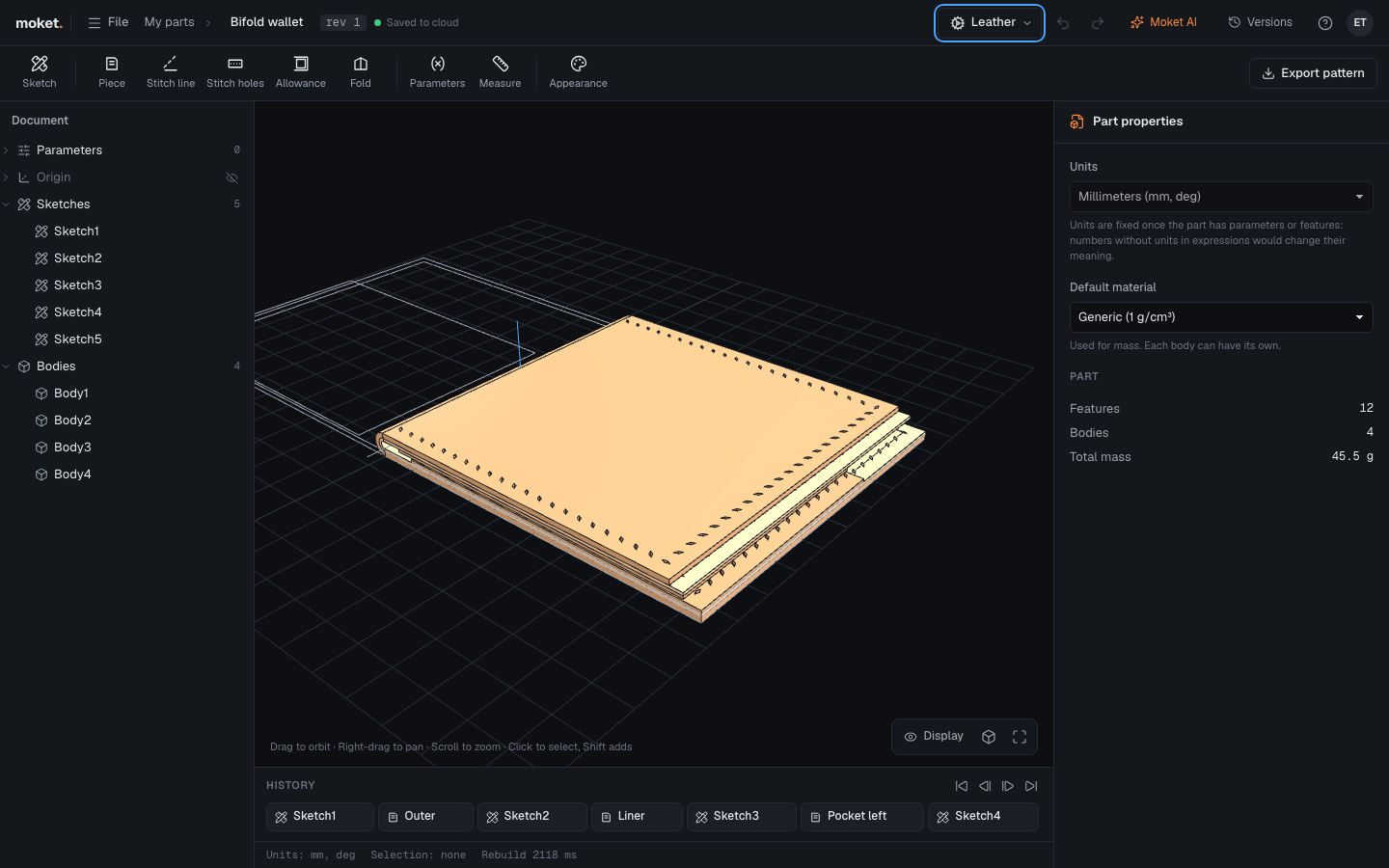
Folds pieces along a sketch line by an angle, with an inside radius. Pieces stacked on each other fold together: each layer bends round the one inside it and takes the length of leather its bend needs. Pieces that lie wholly on the folding side, such as pockets, move with the piece under them, and so do their stitches.
| Option | What it does |
|---|---|
| Fold line | A sketch with one straight line, drawn on the pieces |
| Pieces | Every piece that folds or moves with the fold |
| Angle | How far it folds, up to 180 deg (shut) |
| Inside radius | The radius of the innermost layer's bend |
| Fold under | Folds away from the side the sketch faces |
| Fold the other side | Folds the other half of the pieces |
Export the pattern
Access: Export pattern at the right of the Leather toolbar.
Every piece comes out flat, as it is cut before any fold, at 1:1 in millimetres. Each piece has its cut line, the finished line dashed where an Allowance moves the cut out, its stitch holes (slits for a chisel, circles for round holes, small circles for a stitch line not punched yet), a dashed fold line across the middle of each bend, the grain arrow, and its name, leather, thickness and how many to cut.
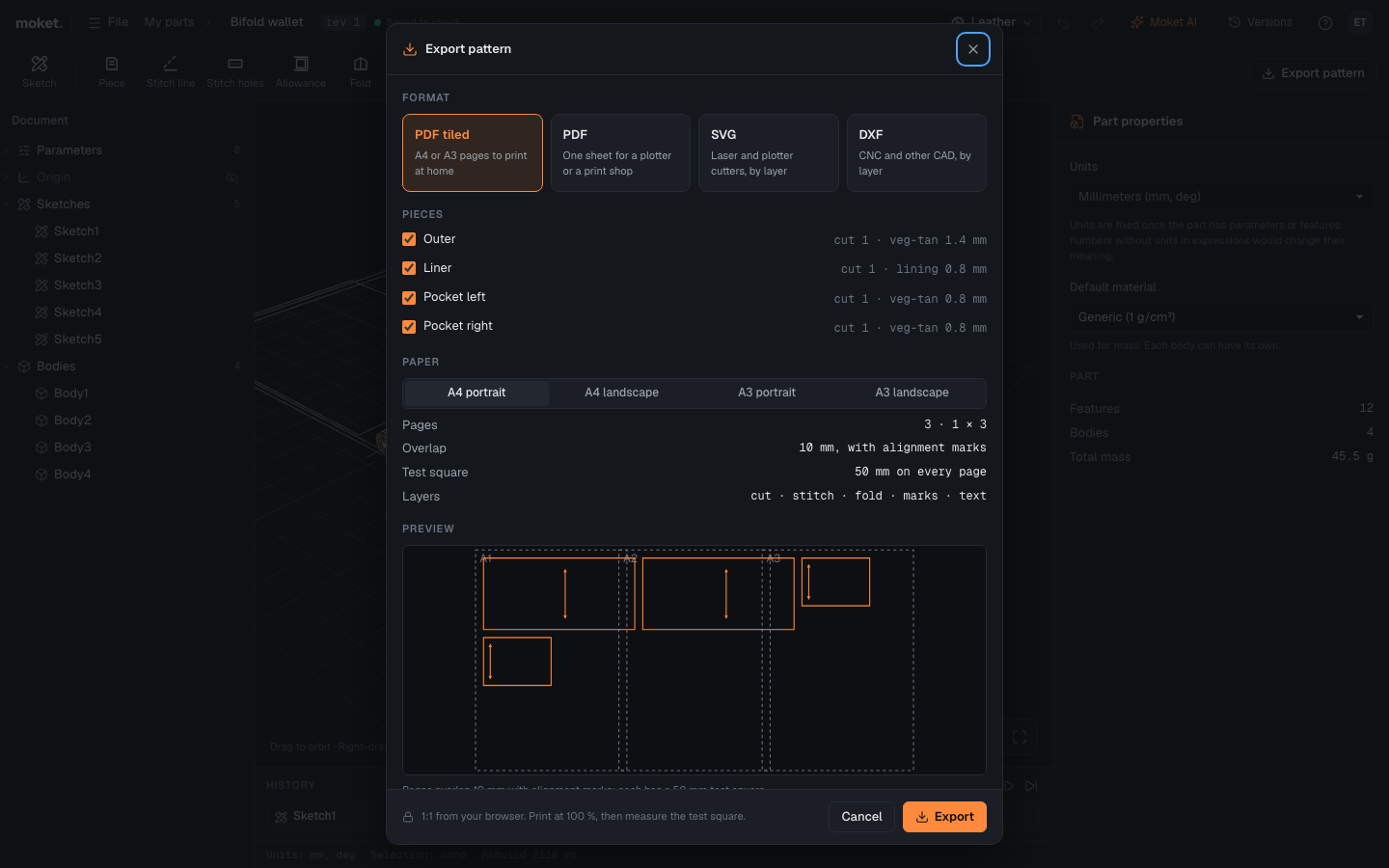
- Choose the format.
- Clear the pieces you do not need.
- For PDF tiled, choose the paper. The dialog shows how many pages it takes and where they go.
- Type the file name and click Export.
| Format | For |
|---|---|
| PDF tiled | Printing at home on A4 or A3, portrait or landscape. Pages overlap 10 mm and are named A1, A2, B1 by row and column from the top left |
| One sheet the size of the pattern, for a plotter or a print shop | |
| SVG | Laser cutters and plotters: a group per layer, in millimetres |
| DXF | CNC cutters and other CAD: AutoCAD R12 in millimetres, a layer per kind of line |
The layers are cut (black), stitch (red), fold (blue, dashed), marks (grey: the grain, the finished line, the test square) and text. Turn off stitch and text in a laser cutter to cut only the outlines.
Print a tiled pattern
- Print the PDF at 100 % or Actual size, never Fit to page.
- Measure the 50 mm test square on a page. If it is not 50 mm, check the printer's scaling and print again.
- Trim each page on its dotted frame along one side, lay it over its neighbour by the 10 mm strip and line up the round alignment marks, then tape it.
Design with Moket AI or an agent
Moket AI and agents connected over MCP use the Leather features too, for example Make a card holder 100 x 65 mm in 1.4 mm veg-tan with a front pocket, stitched round at a 3.85 mm pitch. They make the pieces, stitch lines, holes and folds as a plan you see before it applies, tell you how many holes each stitch line has, and check that seams sewn together have the same count. Agents work on leather parts with or without a Moket tab open. The pattern is yours to export: open the part and click Export pattern.
Tips
- Use parameters for the sizes you will change, such as
cardWidthorstitchPitch, and type them in the fields. - Folded shut, what lies inside the fold needs room: the inside radius should be at least half the thickness of everything inside. Fold warns when it is less.
- Roll the history back before the fold to see the item open, flat.
Limitations
- A fold is geometric: the leather does not stretch or get thinner in the bend.
- A stitch line follows edges of one flat face, or sketch lines, arcs and circles.
- Holes inside the bend of a fold are not kept in the folded shape.
- The pattern shows each piece from the side its sketch faces.
Troubleshooting
| Message | What to do |
|---|---|
| The edges do not join into one line | Pick edges that follow on from each other, all on one face |
| The line is ... mm long: too short for its gaps and pitch | Make the gaps or the pitch smaller |
| The holes are ... mm across and only ... mm apart | Make the holes smaller or the pitch larger |
| No piece crosses the fold line | Draw the fold line across the pieces, on their face |
| The pieces inside the fold need an inside radius of at least ... mm | Make Inside radius at least that |
| There are no pieces to export: make a Piece first | Export the pattern from a part with at least one Piece |