
Change the display
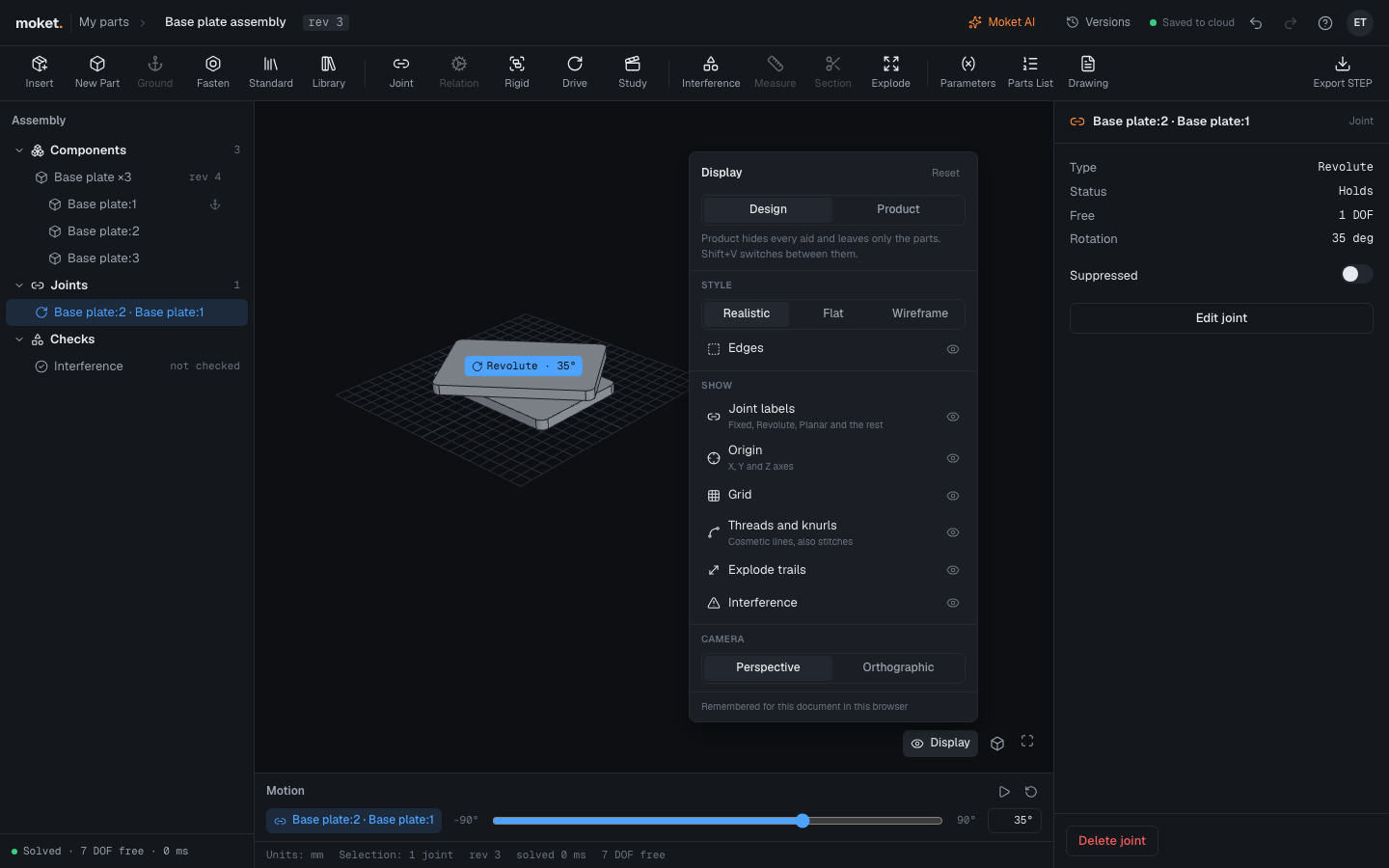
Display sets how the view shows your design: only the product or with every technical aid, in finishes, plain grey or as edges, in perspective or orthographic. Each part and assembly remembers its own display.
Access: Display in the lower right corner of the part or assembly editor. Shift+V switches between Design and Product view.
Show only the product
- Click Display.
- Choose Product.
Joint labels, the origin, the grid, planes, sketches, cosmetic thread lines, explode trails and interference marks are hidden, and only the parts stay. The button reads Product while it is on. Choose Design, or press Shift+V, to show the aids again.
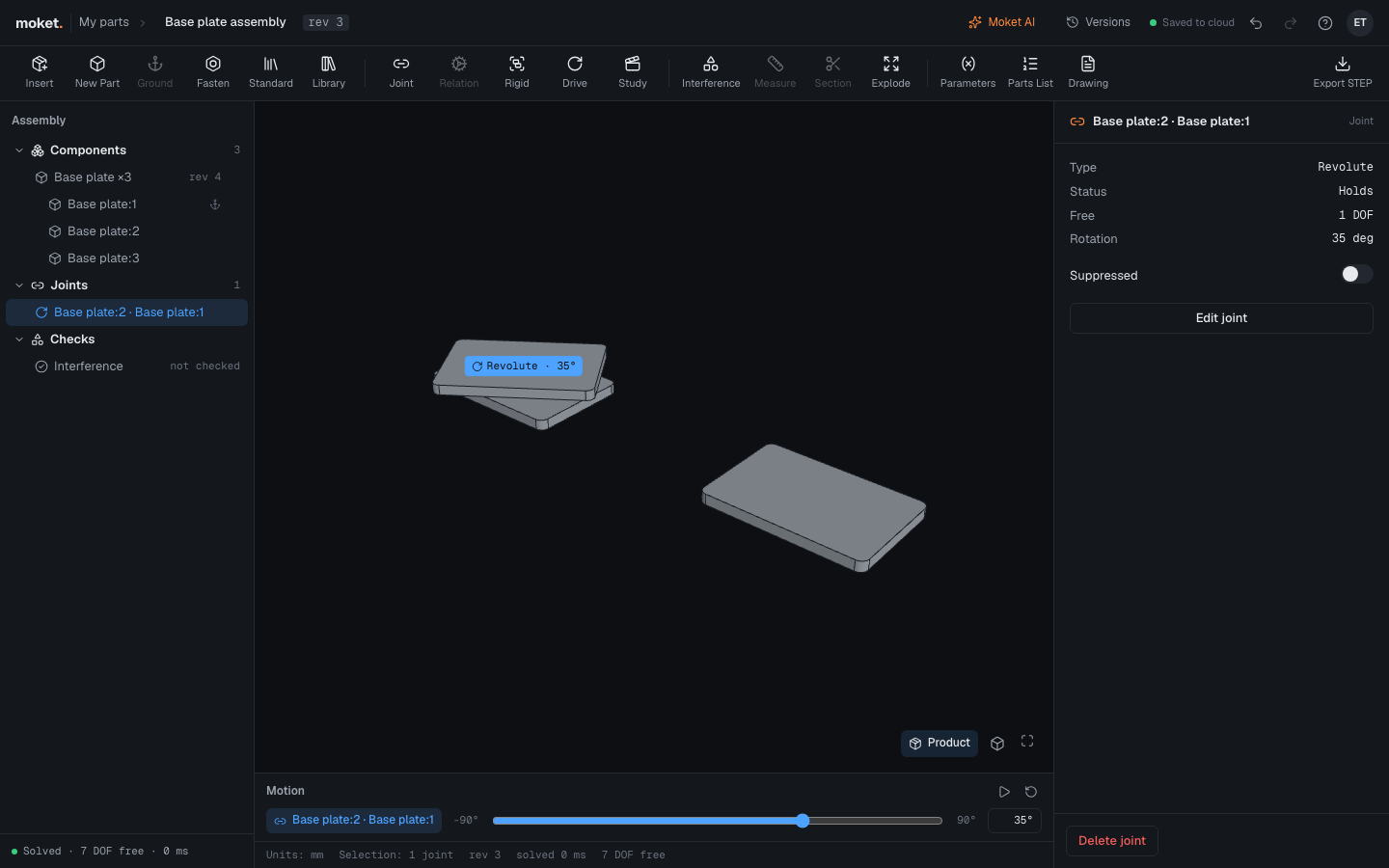
Product view only changes what you see. Tools still work: a command that needs a plane or a sketch shows it while it runs, and the joint you select keeps its label.
Options
| Option | What it does |
|---|---|
| Design | Shows the aids checked under Show |
| Product | Hides every aid |
| Style | Realistic: bodies in their finishes, lit like in a room. Flat: every body in plain grey. Wireframe: edges only, hidden ones too |
| Edges | Draws the edges of the faces. Always on in Wireframe |
| Show | Each aid on its own in Design view. Click a row to hide or show it |
| Camera | Perspective: far things look smaller. Orthographic: sizes stay true at any depth, like in a drawing |
| Reset | Design view, Realistic, edges, every aid and Perspective |
The aids under Show depend on the editor:
| Aid | Part | Assembly |
|---|---|---|
| Joint labels | Yes | |
| Origin (X, Y, Z axes) | Yes | Yes |
| Grid | Yes | Yes |
| Planes | Yes | |
| Sketches | Yes | |
| Threads and knurls (also stitches) | Yes | Yes |
| Explode trails | Yes | |
| Interference | Yes |
Tips
- The display is yours: it is remembered for each document in this browser and is not saved with the document, so other people see their own. Images of the view that you let Moket AI or an agent take show it as you set it.
- To hide one sketch, body or plane rather than all of them, use the eye icon in the part's browser. See Show and hide things.
- Orthographic with Views > Front, Top or Right shows a part the way a drawing view does.