
Offset curves
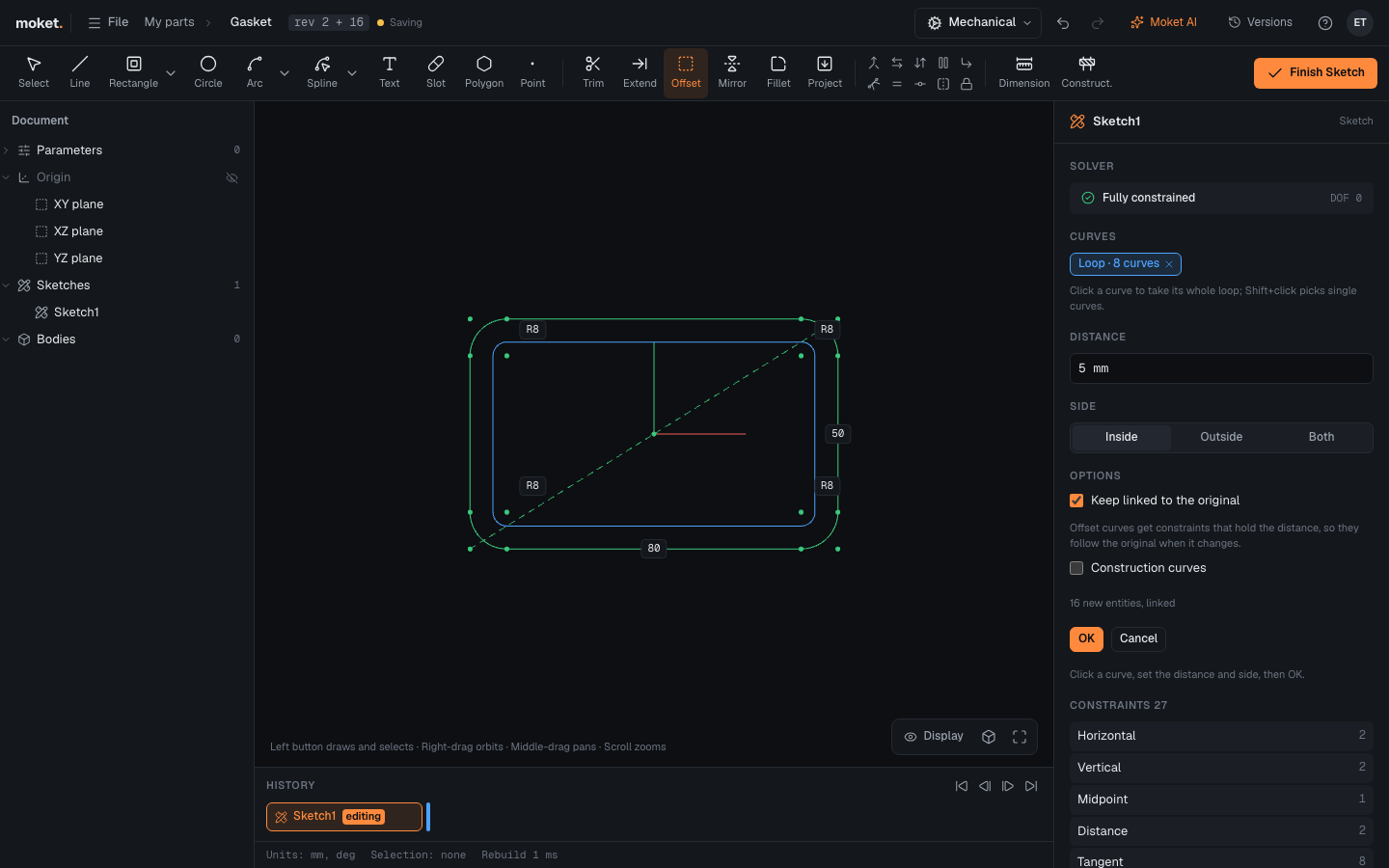
Offset draws a copy of curves at a set distance, for walls, gaskets, lips and clearances. One click takes a whole loop, and the copy can stay linked to the original so it follows when the original changes.
Access: Sketch mode toolbar > Offset (O).
Steps
- Click Offset.
- Click a curve. Its whole loop is picked. To pick single curves instead,
Shift+click them. - Enter the Distance and choose the Side. The offset shows in the sketch.
- Click OK or press
Enter.
Options
| Option | Description |
|---|---|
| Curves | A loop picked by one click, or single curves with Shift+click |
| Distance | A length or an expression, such as wall |
| Side | Inside or Outside a closed loop, or Both. For an open chain, try both sides and keep the right one |
| Keep linked to the original | The offset keeps its distance when the original moves or changes size. The distance becomes a dimension |
| Construction curves | The offset is reference geometry, not part of profiles |
Tips
- With Keep linked to the original, edit the offset's dimension in the sketch to change the distance later.
- Rounded corners stay rounded: arcs are offset to arcs around the same center.
Troubleshooting
| Message | What to do |
|---|---|
| The distance is larger than the radius of an arc or circle | Make the distance smaller, or offset to the outside |
| The distance is too large for this shape | Make the distance smaller |
| The curves branch at a point | Offset one chain at a time |