
Add datums and feature control frames
Geometric tolerances (GD&T) say how flat, square, round or well placed a feature must be. Mark the faces the part is measured from with datum feature symbols, then add a feature control frame to each feature you tolerance. Moket draws both to ISO 1101 or ASME Y14.5, the sheet's standard, and checks each frame against the standard's rules.
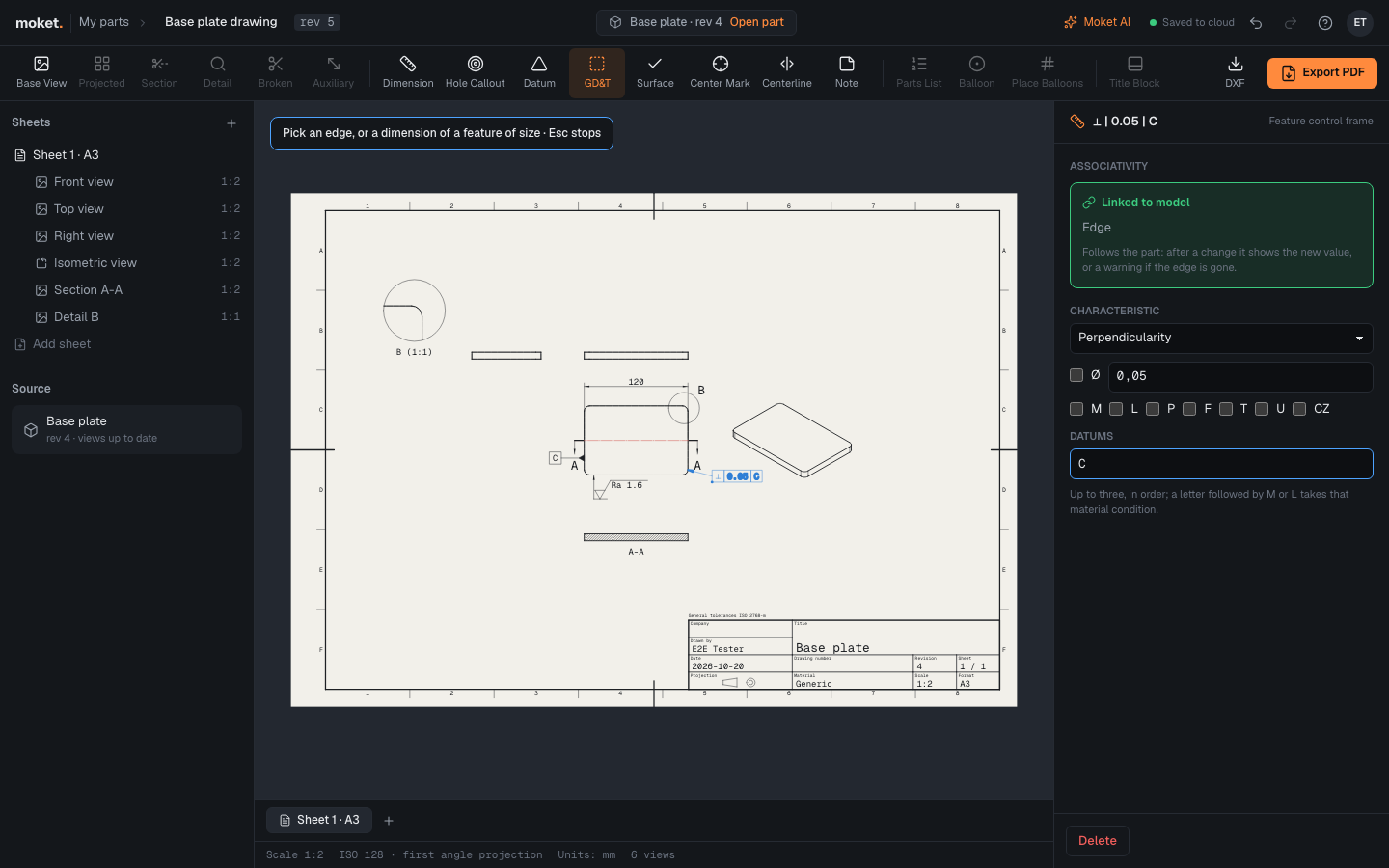
Access: Datum and GD&T on the drawing toolbar.
Add a datum
- Click Datum.
- Click the edge of the face that is the datum, in a view that shows the face edge on. To make a feature of size (a bore, a pin) the datum, click its dimension instead.
- Click where the letter goes.
The datum takes the first letter no other datum or view of the drawing uses; change it under Letter. Each letter is used once on a drawing.
Add a feature control frame
- Click GD&T.
- Click the edge of the toleranced face. To tolerance a feature of size, such as a hole's position, click its dimension: the frame then tolerances the feature's axis or center plane.
- Click where the frame goes: the point is its lower left corner, and a leader runs to the feature from the side of the frame nearest it.
- In the frame's properties, set:
| Option | What it does |
|---|---|
| Characteristic | Straightness, flatness, circularity, cylindricity, profile of a line or surface, parallelism, perpendicularity, angularity, position, concentricity, symmetry, circular or total runout |
| Ø | A cylindrical tolerance zone, as for the position of a hole |
| Value | The width of the tolerance zone, in the drawing's units |
| M L P F T U CZ | Modifiers: maximum or least material condition, projected zone, free state, tangent plane, unequal profile, combined zone |
| Datums | Up to three letters in order of precedence, separated by commas. A letter followed by M or L takes that material condition: A, B M. A common datum made of two features is written A-B |
A frame on a dimension made with GD&T starts as a position tolerance with a cylindrical zone, referring to the datums already on the drawing. A frame on an edge starts as flatness.
The rules Moket checks
Moket flags a frame that breaks a rule of the standard; the problem shows in the frame's properties and in the Problems list:
| Message | What to do |
|---|---|
| Flatness is a form tolerance and takes no datum | Straightness, flatness, circularity and cylindricity refer to no datum: clear Datums |
| Parallelism needs a datum | Orientation, location and runout tolerances refer to a datum: add one |
| Flatness has no cylindrical zone: take Ø off | Only straightness of an axis, position and concentricity take a cylindrical zone |
| M applies to a feature of size: put the frame on its dimension | Material conditions apply to holes, pins and slots: add the frame on the feature's dimension |
| Datum B is not on the drawing: add its datum feature symbol | ASME drawings: every datum a frame names must be marked with Datum |
| Datum A is used twice: give each datum its own letter | Change one of the letters |
A datum or frame whose edge is gone from the part shows as lost, like a dimension.