
Parts list
The parts list (bill of materials) counts what the assembly is made of: each part with its quantity, material and mass.
Access: assembly editor > Parts List.
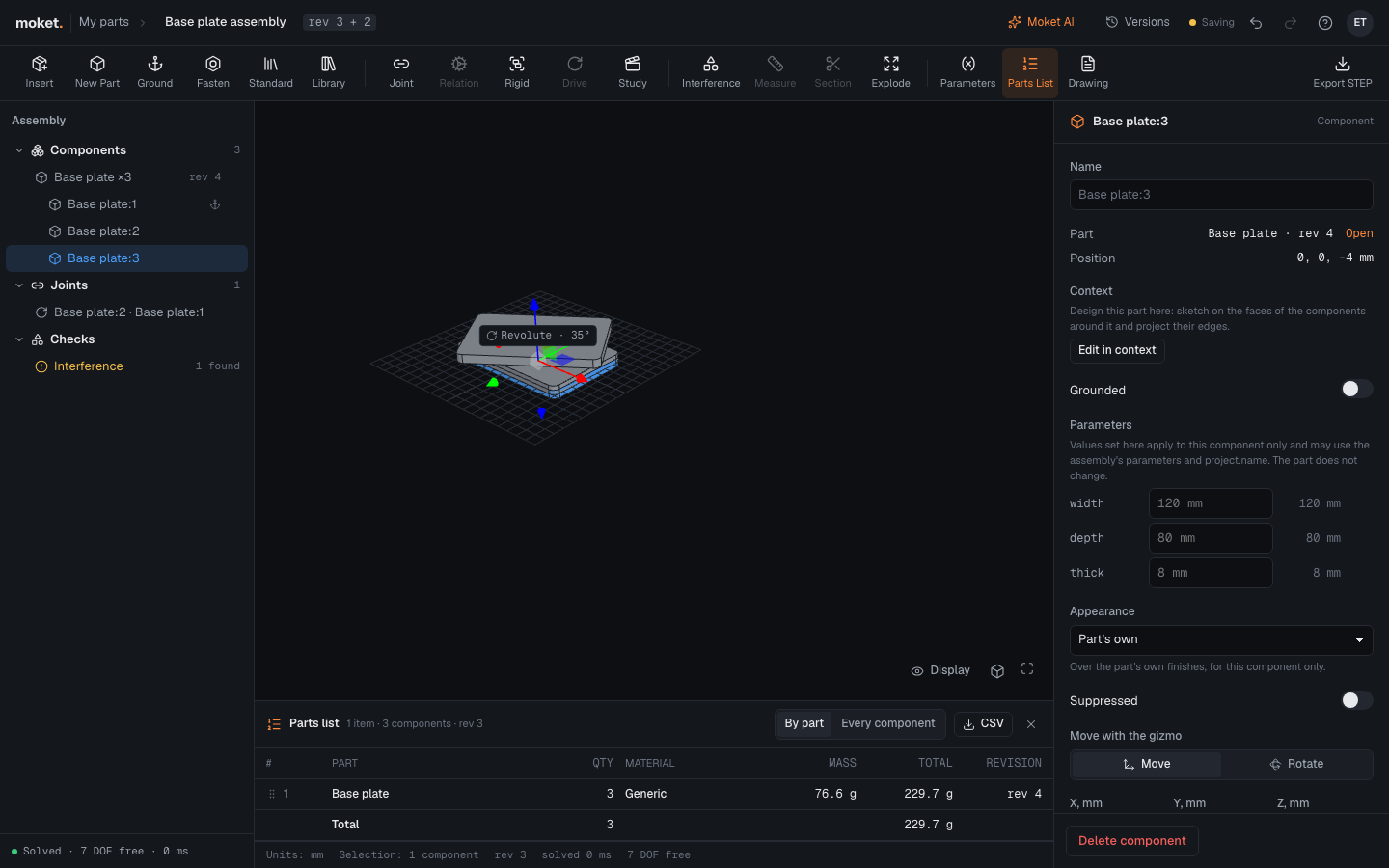
Show the parts list
Click Parts List. The list opens under the viewport; click Parts List again or × to close it.
| Column | What it shows |
|---|---|
| # | The item number. |
| Part | The part's name with its configuration, such as Socket screw M3 x 10, or the component's in Every component. A part from your library shows its maker and part number after the name. |
| Qty | How many components of the part are in the assembly. Suppressed components are not counted. |
| Material | The material of the part's bodies, Mixed when they differ. Set it in the part. |
| Mass | One part, from its volume and material. |
| Total | All of them. |
| Revision | The part's revision the assembly uses: always the latest. For a part from your library, the version it uses, such as v2. |
By part shows one row per part, one per configuration of a part that components use in several, and one per set of values components set on the part (Shaft, length 110 mm); Every component one row per component. An assembly with subassemblies has Top level instead of By part, plus Indented and Parts only.
Change the item order
In By part, drag a row by its handle to give it another item number. A part's configurations move together and keep the order of the part's table. The order is saved with the assembly and used wherever the parts list appears.
Download the list
Click CSV to download <assembly name> - parts list.csv (UTF-8, comma separated) for a spreadsheet or a purchasing system. When the assembly has parts from your library, the file has Maker and Part number columns too.