
Set a part's parameters in an assembly
A component can set its part's parameters: a shaft as long as this assembly needs, a rail cut to the length of this machine. The value applies to that component only; the part, and every other component of it, stays as it is.
Access: assembly editor > select a component > Parameters in its properties.
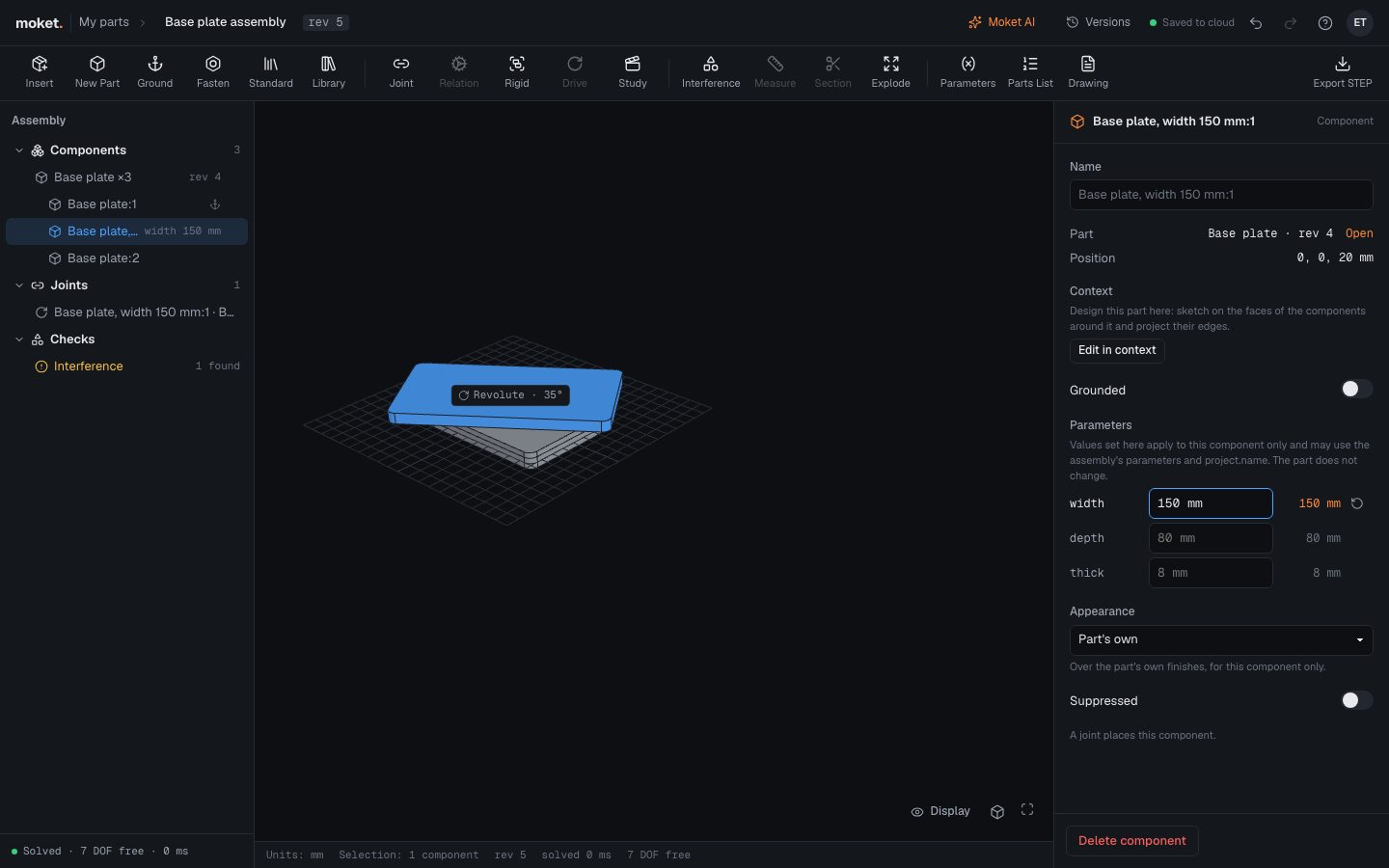
Set a parameter for one component
- Select the component in the tree or the viewport.
- Under Parameters, the part's parameters are listed with their values. A gray expression is the part's own.
- Type a value or an expression over one and press
Enter, for example150 mmorspan + 60 mm.
The expression can use the assembly's parameters and the project's parameters (project.railLength). The value on the right shows what the component is built with; the tree shows it next to the component, for example length 110 mm.
To give a parameter back to the part, click the reset button next to it.
The assembly's parameters
Click Parameters in the assembly toolbar to add and change the assembly's own parameters, such as span = 50 mm. Joints, relations, motion studies, exploded views and the parameters components set can use them; change one there and everything that uses it follows. The dialog also lists the project's parameters, with Edit in project.
In the parts list
Components of one part with other values are counted as items of their own, named with their values: Shaft, length 110 mm and Shaft are two rows.
Problems
- A value of another kind, such as an angle for a length, is not applied: the component shows an error.
- An expression that does not evaluate, such as an unknown name, is an error on the component.
- When the part no longer has a parameter the component sets, the value is ignored and the component shows a warning.
Limitations
- A subassembly's components cannot take values from the assembly that uses it.
- A part's configuration applies first; a value set on the component replaces the row's value.