
Edit features and the history
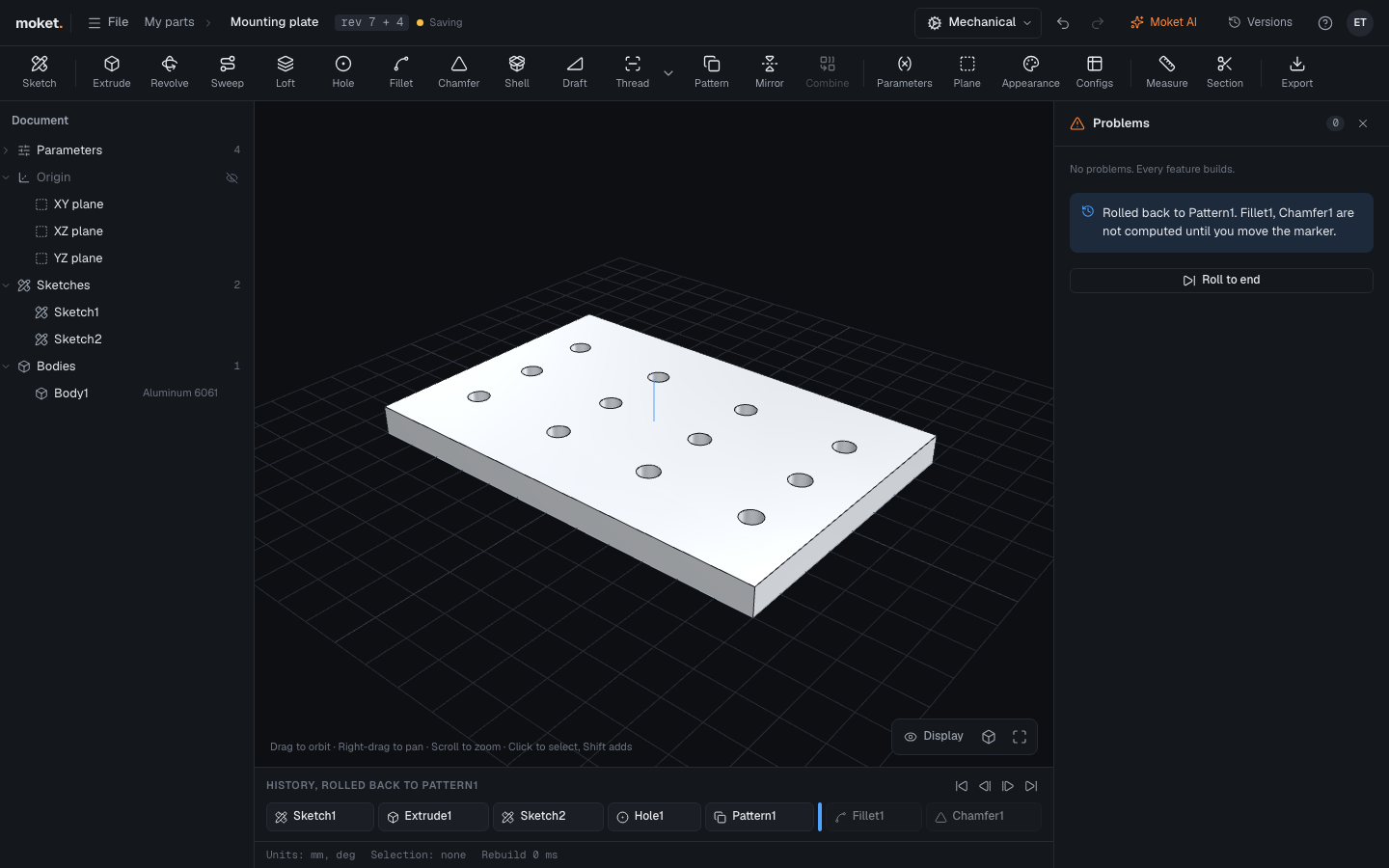
The history at the bottom lists every feature in the order it was made. The model is rebuilt from it every time something changes.
Access: The History bar below the canvas.
Edit a feature
Double-click it in the history or in the browser. The dialog opens with its values; the features after it are paused until you click OK or Cancel.
Feature actions
Hover over a feature and click its Feature actions menu (the three dots):
| Action | Result |
|---|---|
| Edit | Opens the feature's dialog |
| Rename | Gives it your own name |
| Roll back to here | Shows the model as it was after this feature |
| Suppress | Skips the feature without deleting it. Unsuppress brings it back |
| Delete | Removes the feature. Features that used it show a problem; undo brings it back |
Roll back
Drag the blue marker, or use Step back, Step forward, Roll back to the start and Roll to the end. Features after the marker are dimmed and not computed. New features are added at the marker. Roll back to insert a feature earlier in the history.
Features of plugins
Features a plugin adds sit in the history like the others, with the plugin's icon; hover over one to see its plugin and version. When that plugin is off or not installed, the feature shows its last result with a snowflake and cannot be edited. stale next to it means something it uses changed since: it still shows the result it had.
Undo and redo
Ctrl+Z undoes the last change and Ctrl+Shift+Z or Ctrl+Y redoes it (Cmd on a Mac). Every change is one step: a new feature, an edited value, a sketch constraint, a renamed part.