
Report a problem
When Moket does something wrong, tell the owner of Moket from where it happened. The report can carry a copy of the part, a picture of the view and what happened in the tab, so the problem can be reproduced and fixed.
Access: Top bar > Help > Report a problem... in the part, drawing and assembly editors, or Report on a problem in the Problems panel.
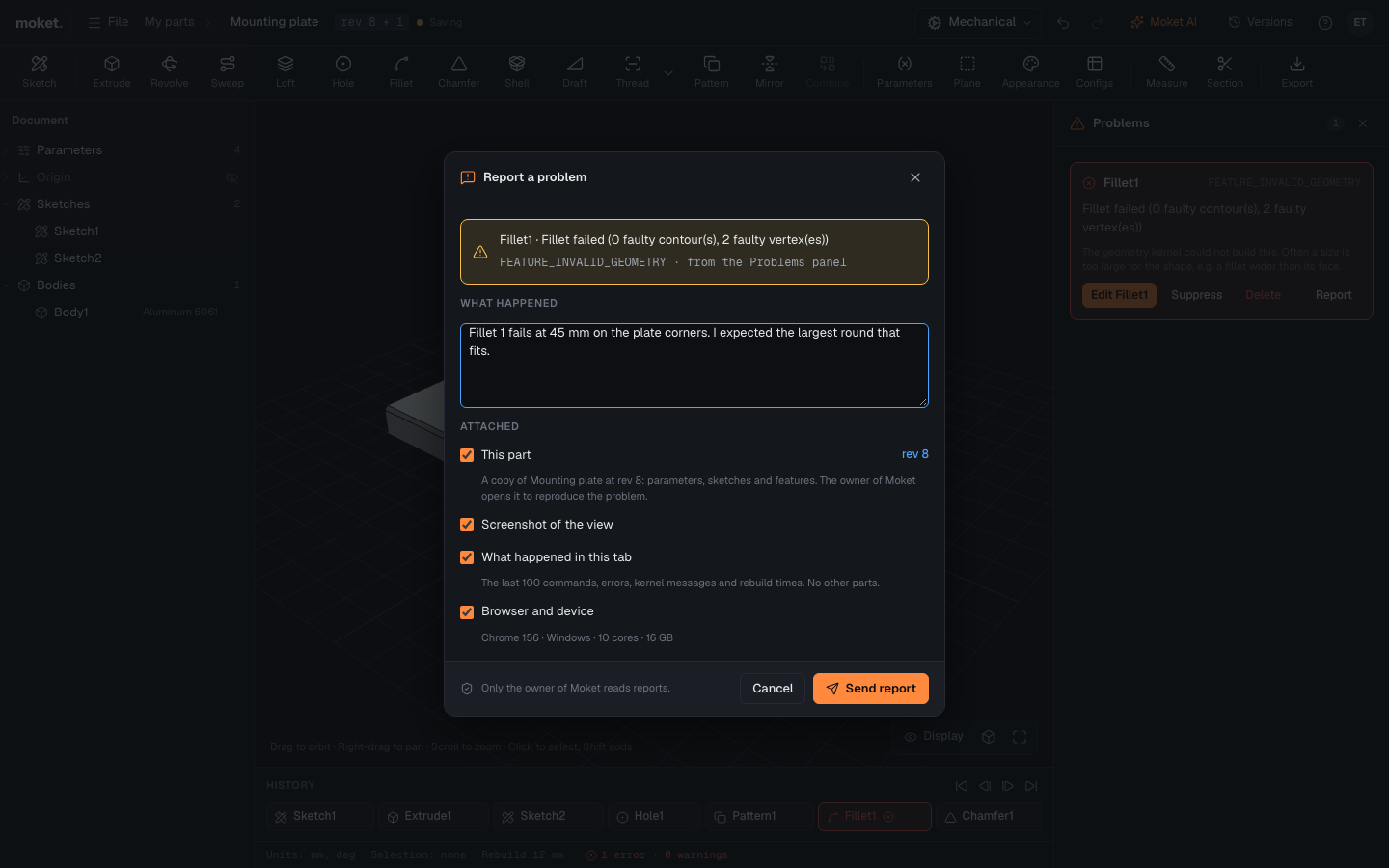
Send a report
- Click Help > Report a problem..., or Report on the problem in the Problems panel. A report made from the panel already names the feature and its message.
- Under What happened, write what you did, what you expected and what happened instead.
- Under Attached, clear anything you do not want to send.
- Click Send report.
What a report carries
| Attached | What it is |
|---|---|
| This part (or drawing, assembly) | A copy of the open document at its revision: parameters, sketches and features. A drawing or an assembly attaches only itself, not the parts it uses. |
| Screenshot of the view | A picture of the 3D view as you see it (parts and assemblies). |
| What happened in this tab | The last 100 commands with their values, errors, kernel messages and rebuild times. No other parts. |
| Browser and device | The browser and its version, the system, the number of cores and the memory. |
Only the owner of Moket reads reports. Your part stays yours: the owner works on a copy.
Follow a report
Settings > Diagnostics > Your reports lists the reports you sent with their status: Open, Fixed or Won't fix.
Tips
- A report from the Problems panel is the quickest way to report a feature that fails although it should build.
- Write the values you changed: "Fillet 1 fails at 8 mm, at 6 mm it works".