
Loft
Loft builds a solid through two or more profiles in order, for example from a rectangular flange to a round port.
Access: Toolbar > Loft.
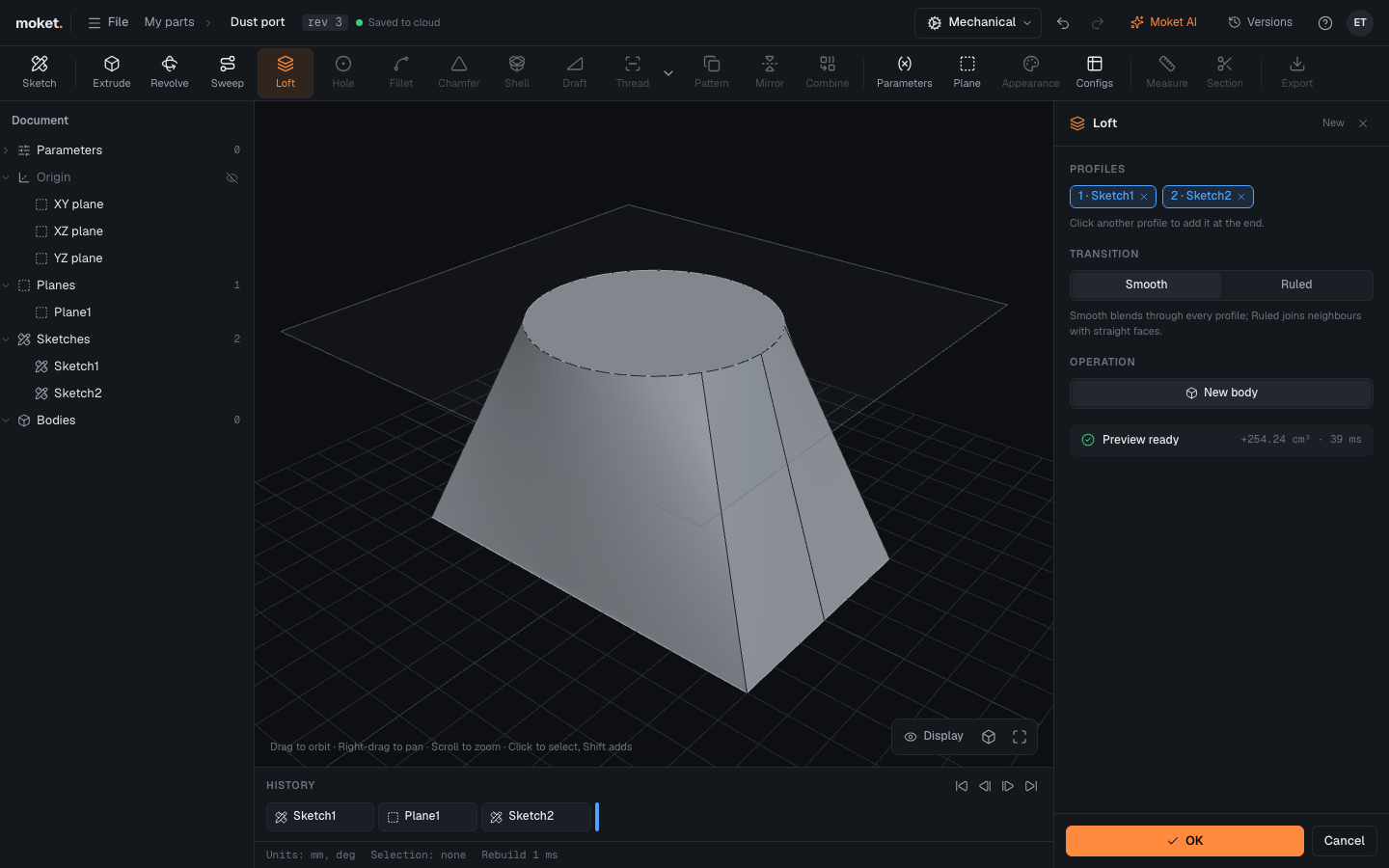
Steps
- Draw each profile in its own sketch, usually on construction planes at different heights. A flat face of a body can be a profile too.
- Click Loft.
- Click the profiles in order: a closed area of a sketch or a flat face. They are numbered as you pick them; remove one with its x.
- Choose the Transition and the Operation.
- Click OK.
Options
| Option | Description |
|---|---|
| Profiles | Two or more, in order: one closed area per sketch, or flat faces |
| Transition | Smooth blends through every profile; Ruled joins neighbours with straight faces |
| Operation | Join, Cut, Intersect or New body, as in Extrude |
Limitations
- Profiles cannot have holes. Loft the outside, then shell it or cut the inside.