
Parameters
Parameters are named values, such as width = 120 mm. Use them in dimensions and feature values; change a parameter and everything that uses it updates.
Access: Toolbar > Parameters. Shortcut: P.
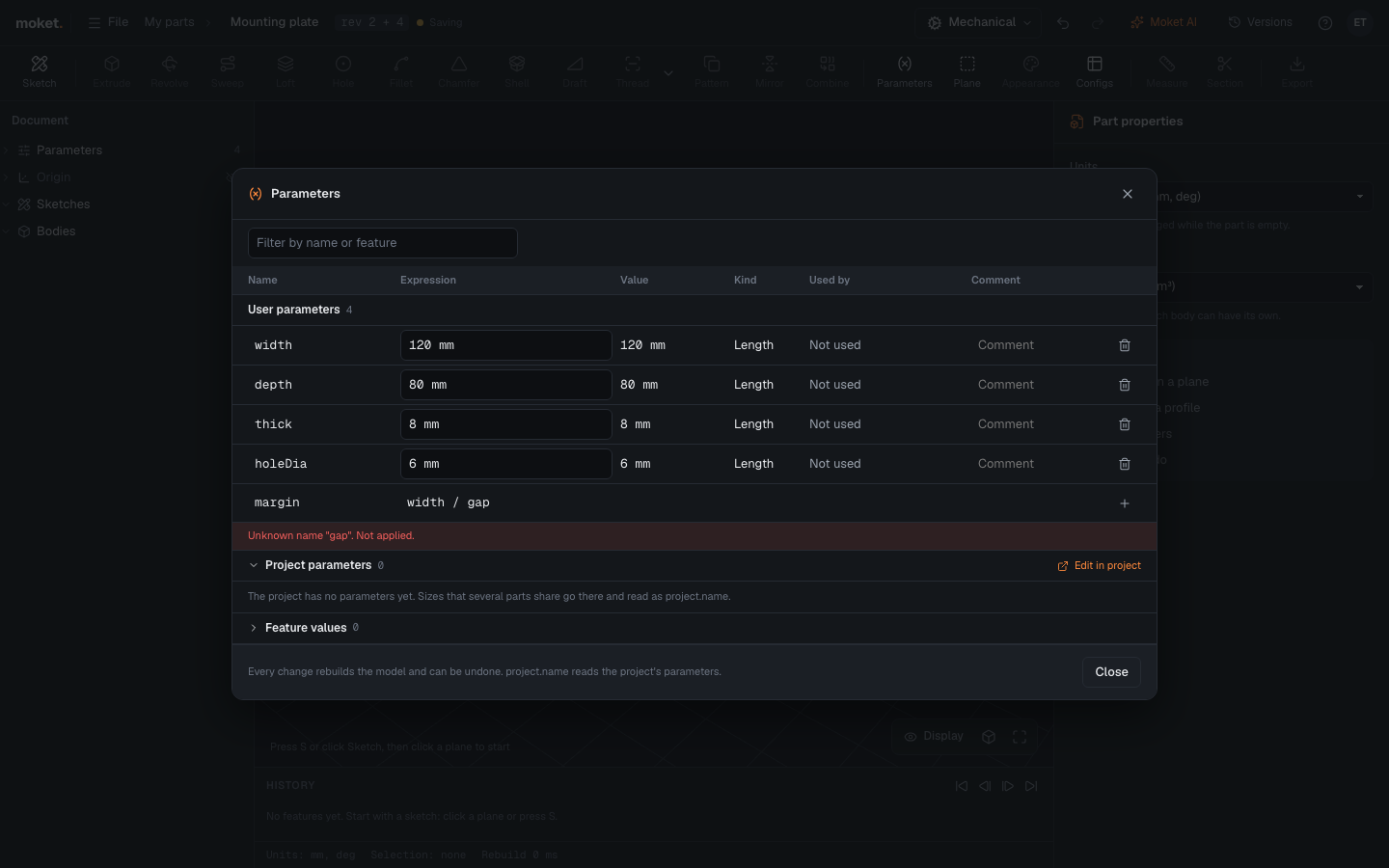
Add a parameter
- Click Parameters.
- In the empty last row, type a Name and an Expression, for example
widthand120 mm. - Click + or press
Enter.
Change or delete a parameter
- Edit its Expression and press
Enteror leave the field. The model rebuilds. - Click the trash icon to delete it. A parameter that something uses cannot be deleted; Used by shows what uses it.
Columns
| Column | Shows |
|---|---|
| Name | Letters, digits and _, starting with a letter |
| Expression | A value or a formula, for example width / 2 + 5 mm |
| Value | The computed value |
| Used by | The features, sketches and parameters that use it |
| Comment | A note for yourself |
Feature values below lists the values inside features and sketch dimensions, so you can change them here too.
Read the project's parameters
Sizes that several parts share belong in the project's parameters. Read one as project. and its name, for example boreDiameter = project.bearingOD:
- Typing
project.in an expression lists the project's parameters with their values. Use the arrow keys andTabto insert one. - A parameter that reads the project has a link mark next to its expression.
- The Project parameters group lists the project's values, read only, with what in this part uses each. Edit in project opens them in the project.
When the project's value changes, the part rebuilds by itself; it gets no new version.
Mistakes are refused
A change that does not work, such as an unknown name, a loop (a = b, b = a) or a length where an angle is needed, is not applied. The row shows why and keeps your text so you can fix it.
Tips
- In a part with configurations, changing a configured parameter changes the active configuration only.
- A sketch text shows a parameter's value when you write its name in braces, for example
DP-{partNumber}.