
Make a motion study
A motion study moves joints over time: a crank turning a full turn, a feed handle pulled down and let back. Play it to see the mechanism move, check that nothing collides on the way, and record it as a video or a GIF. Playing a study changes nothing in the assembly.
Access: select a joint that turns or slides, then assembly editor > Study. Open a study again under Motion studies in the tree.
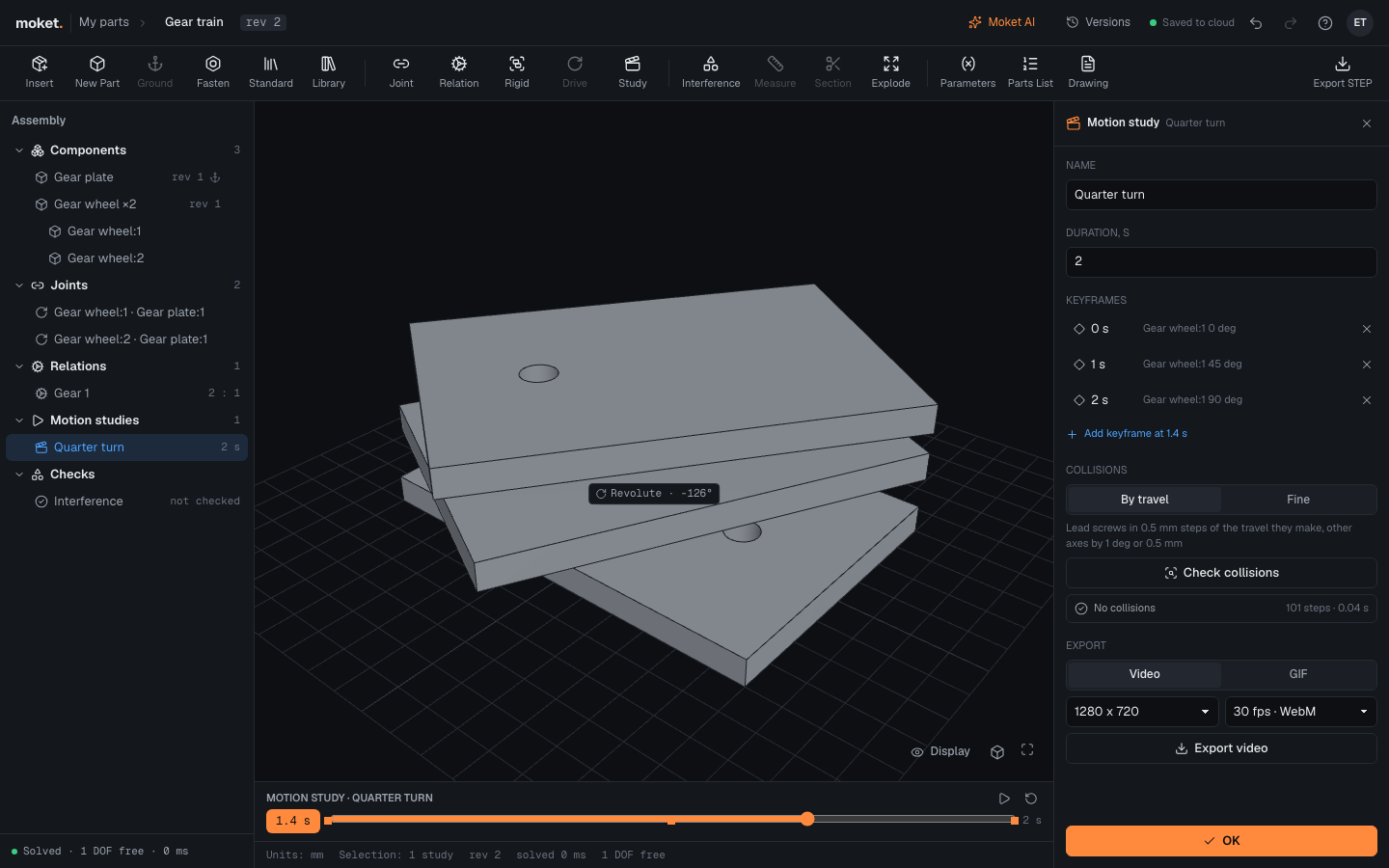
Make a study
- Select the joint that drives the motion.
- Click Study. Moket makes a 2 second study: the joint from where it is to its upper limit, or a quarter turn or 20 mm on.
- Change the Duration if you want; the keyframes keep their place in the motion.
- Edit the keyframes (below), then click OK.
The timeline under the viewport plays and scrubs the study. The joint the study moves drives everything coupled to it: closed loops, relations and the joints that follow.
Keyframes
A keyframe sets where the study's joints are at a moment. Between keyframes they move in a straight line; before the first and after the last they hold.
- Click a keyframe to go to its moment and show its values; type a value, such as
360 deg, to change it. - Add keyframe at ... adds one at the timeline's time with every joint where it is then.
- The cross deletes a keyframe; a study keeps at least one.
Check collisions
Click Check collisions. Moket goes through the study every degree or half millimeter of its fastest joint, at least 100 steps, and checks each moment for components that overlap, as Check interference does. The result lists each pair that collides and from when to when, or No collisions with the number of steps. Pairs marked intended are left out; parts inside one subassembly are checked in it.
Check steps above the button sets how finely:
| Option | Steps |
|---|---|
| By travel | A lead screw turned through a screw relation in steps of 0.5 mm of the travel it makes, never finer than a degree; every other joint by the degree or half millimeter. The default |
| Fine | Every joint, lead screws too, by the degree or half millimeter. Use it when something on a screw, such as a handwheel spoke or a cam, could hit a part within one turn |
A screw turning 30 turns is 10,800 steps by the degree and 180 by travel.