
Measure
Measure shows distances and angles between faces and edges, and the properties of a face, an edge or a body.
Access: Toolbar > Measure. Shortcut: M.
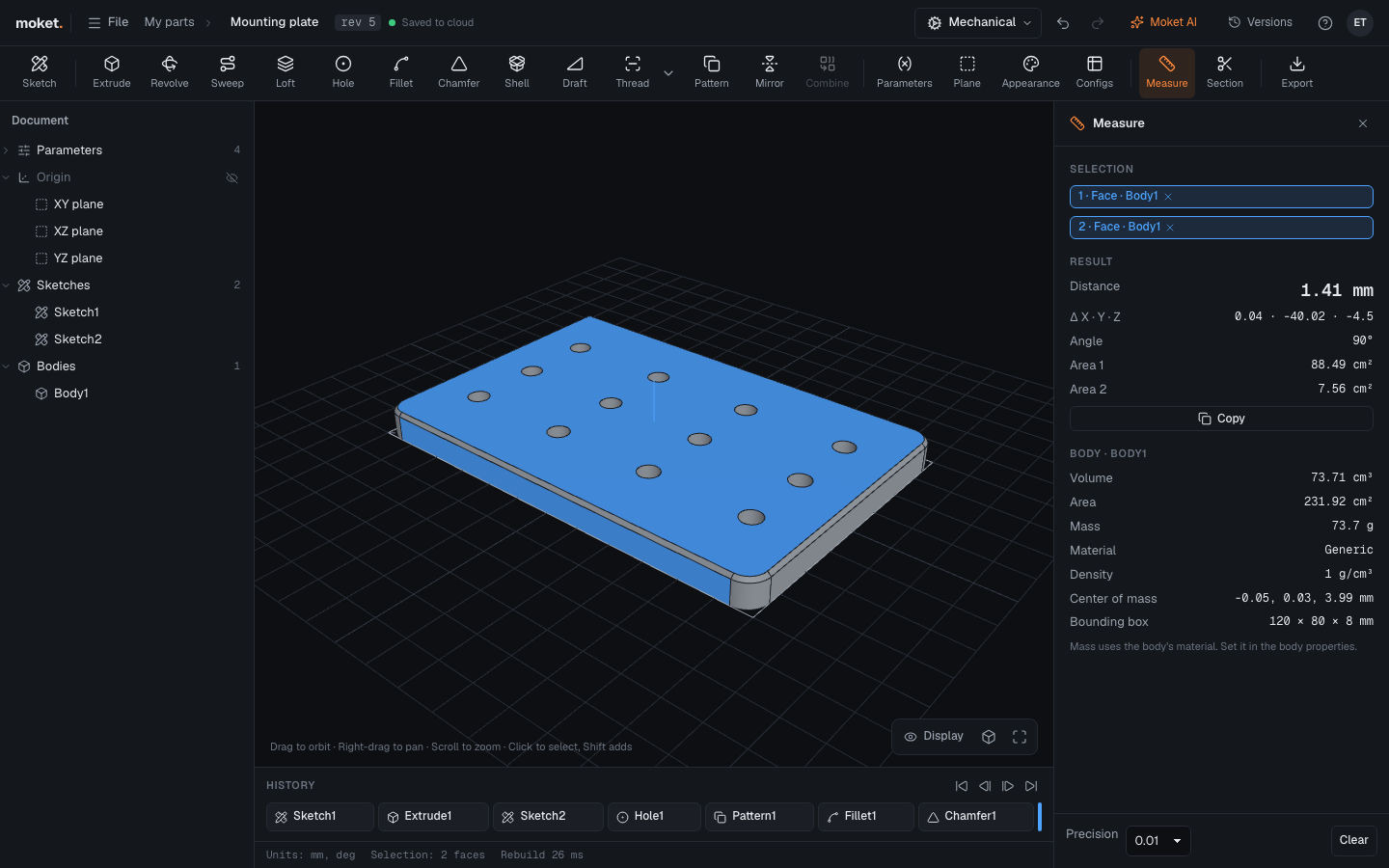
Steps
- Click Measure.
- Click a face or an edge. The panel shows its length, area or diameter.
- Click a second face or edge. The panel shows the shortest Distance between them with Δ X · Y · Z, and the Angle when both have a direction: flat faces, straight edges, or the axes of round faces.
- Click again to start a new measurement. Press
Escto close.
Options
| Option | Description |
|---|---|
| Precision | How many decimals to show: 1, 0.1, 0.01, 0.001 |
The panel also shows the properties of the body you clicked: Volume, Area, Mass, Center of mass and Bounding box.
Section
Section in the toolbar cuts the view open through the middle of the part so you can see inside. Click it again to turn it off. It does not change the part.