
Share sizes across a project
Project parameters are sizes that several parts and assemblies of a project must agree on, such as the height of a spindle axis or the spacing of two rails. Set each one once in the project; every part and assembly that uses it follows when you change it.
Access: Home > a project > Parameters. From a part: Parameters > Edit in project.
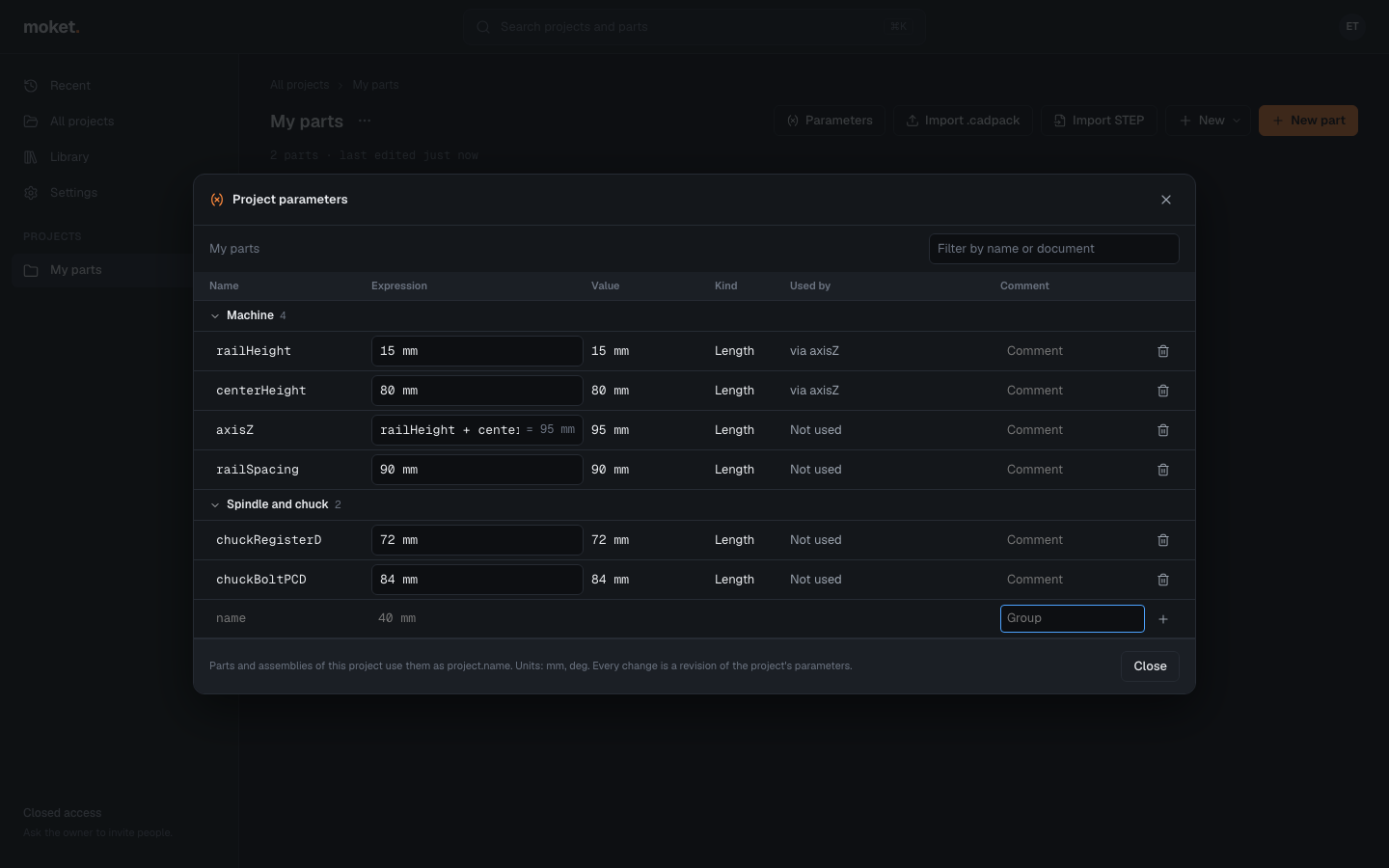
Add a project parameter
- Open the project and click Parameters.
- In the last row, type a Name, an Expression and, if you like, a Group, for example
centerHeight,80 mmandMachine. - Click + or press
Enter.
Expressions can use the project's other parameters by their names: axisZ = railHeight + centerHeight. Groups only sort the table; click a group's name to fold it.
Use one in a part or an assembly
Write project. and the name in any value: a parameter (axisH = project.axisZ - 10 mm), a feature value, a sketch dimension, a configuration cell, a joint's position or limits. In a sketch text, write it in braces: {project.axisZ}.
- Typing
project.in an expression field of the part's Parameters dialog lists the project's parameters with their values. Use the arrow keys andTabto insert one. - In the part's Parameters dialog, a parameter that reads the project has a link mark, and the Project parameters group lists the project's values with what in this part uses each.
Change a project parameter
- Edit its Expression and press
Enter. - If no document reads it, the change is saved at once.
- If documents read it, Moket lists them under the row and rebuilds each in this tab with the new value, without saving anything yet:
- a part shows rebuilt, or the feature that fails and why;
- an assembly shows that it solved and its degrees of freedom;
- a drawing follows its part.
- Click Apply to N documents to save the change, or Keep to leave the old value. Open opens a document that failed in a new tab.
Parts, drawings and assemblies follow the new value at once in this browser and within 15 seconds in others. They get no new version of their own: a part's history keeps only the changes made in it.
Rename or delete
- A parameter that no document reads can be renamed or deleted.
- A parameter that documents read stays: the row says which documents use it.
Limitations
- Renaming a parameter that documents read is not possible yet. Add one with the new name, change the documents to use it, then delete the old one.
- An older version of a part, when you look at it or bring it back, is rebuilt with the project's current values.
- A part published to your library keeps the values it read when it was published, in every project it is used in.