
Couple joints with relations
A relation makes two joints move together: gears that turn each other, a belt between two pulleys, a rack moved by its pinion, a nut on a screw. Drive one joint and the other follows at the ratio you set, and the follower's limits stop the driver: the feed handle of a drill press stops when the quill reaches the end of its travel.
Access: assembly editor > Relation. Make the two joints first: each must turn or slide.
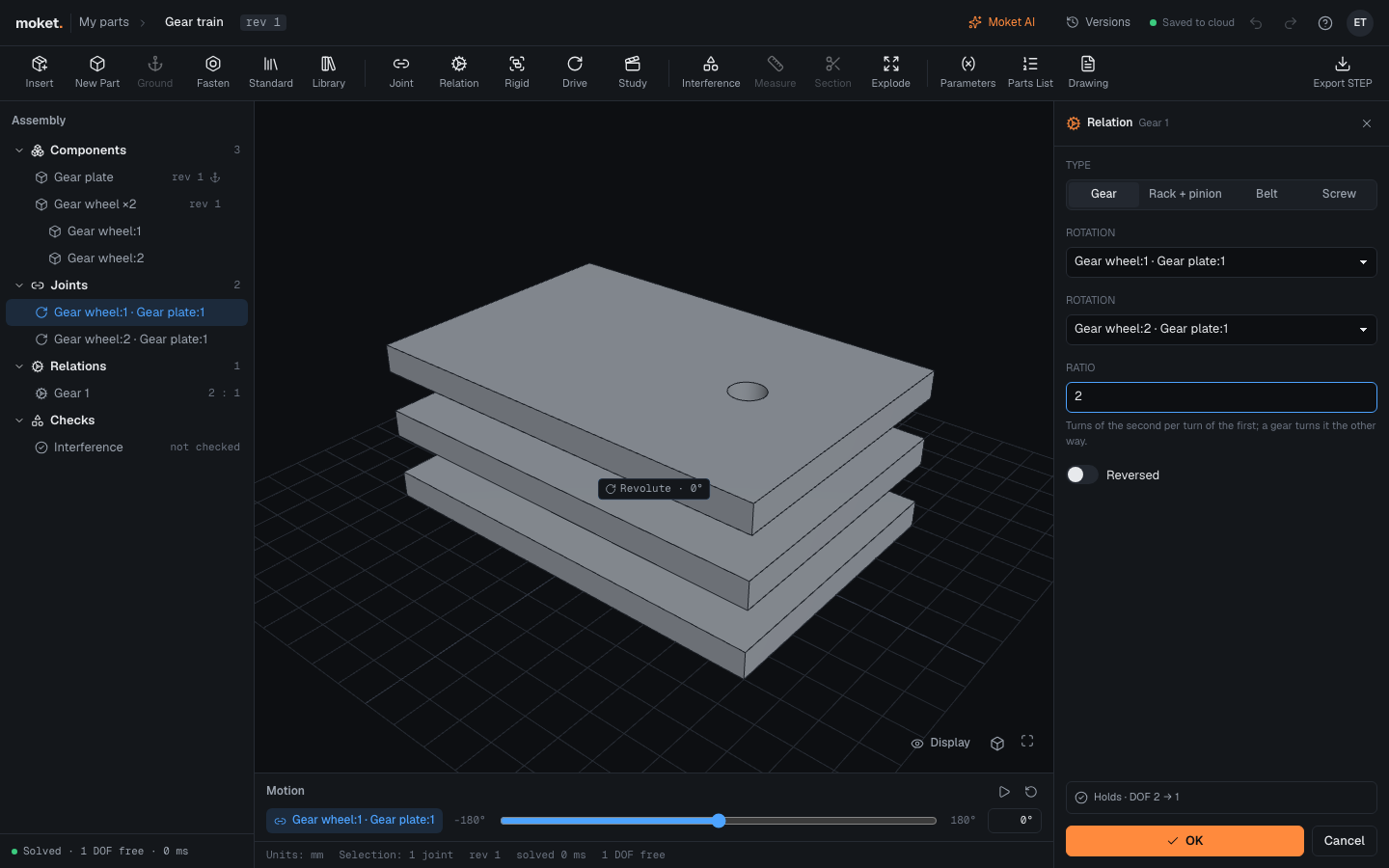
Make a relation
- Select the joint that drives, then click Relation. It is already the first joint.
- Choose the Type: Gear, Rack + pinion, Belt or Screw.
- Pick the second joint: one that turns for a gear or a belt, one that slides for a rack or a screw.
- Type the ratio, or click the suggestion Moket reads from the parts.
- Turn on Reversed if the second one goes the wrong way.
- Click OK, or press
Enter.
The status line shows whether it holds and how many degrees of freedom are left: two free joints coupled by a relation leave one.
Types
| Type | Couples | Ratio |
|---|---|---|
| Gear | Two turns, opposite ways | Turns of the second per turn of the first: 2 for a 20 tooth gear driving a 10 tooth one |
| Belt | Two turns, the same way | Turns of the second per turn of the first: the pulleys' diameters, first over second |
| Rack + pinion | A turn and a slide | How far the rack moves per turn: pi times the pinion's pitch diameter, pi * 10 mm |
| Screw | A turn and a slide | The lead: how far the nut moves per turn of the screw |
The suggestion comes from the largest round face of each part around its joint's axis, such as a gear blank or a pulley. Check it against the real pitch diameter.
How positions add up
The second joint's own position is where it is while the first is at zero. Drive the first with the Motion bar: the second follows, and its value is marked follows in its properties. When the second joint has limits, the first stops where the second reaches them, with a JOINT_LIMIT warning.
Change or remove a relation
Select it under Relations in the tree. Edit relation opens the panel again; Suppressed turns it off without deleting it; Delete relation removes it. Deleting a joint keeps its relations and flags them (RELATION_DANGLING).
Troubleshooting
| Problem | Cause | What to do |
|---|---|---|
RELATION_DANGLING | A joint of the relation is deleted, suppressed or cannot move | Edit the relation and pick another joint |
RELATION_CONFLICT | The relation and the other joints or relations cannot all hold | Check the ratio and the direction, or suppress one |