
Getting started
Moket runs in the browser. There is nothing to download or install.
Open Moket Studio
- Go to app.moket.io.
- Sign in with your Moket account. Moket is in closed access: you create an account from an invite link, see Sign in to Moket.
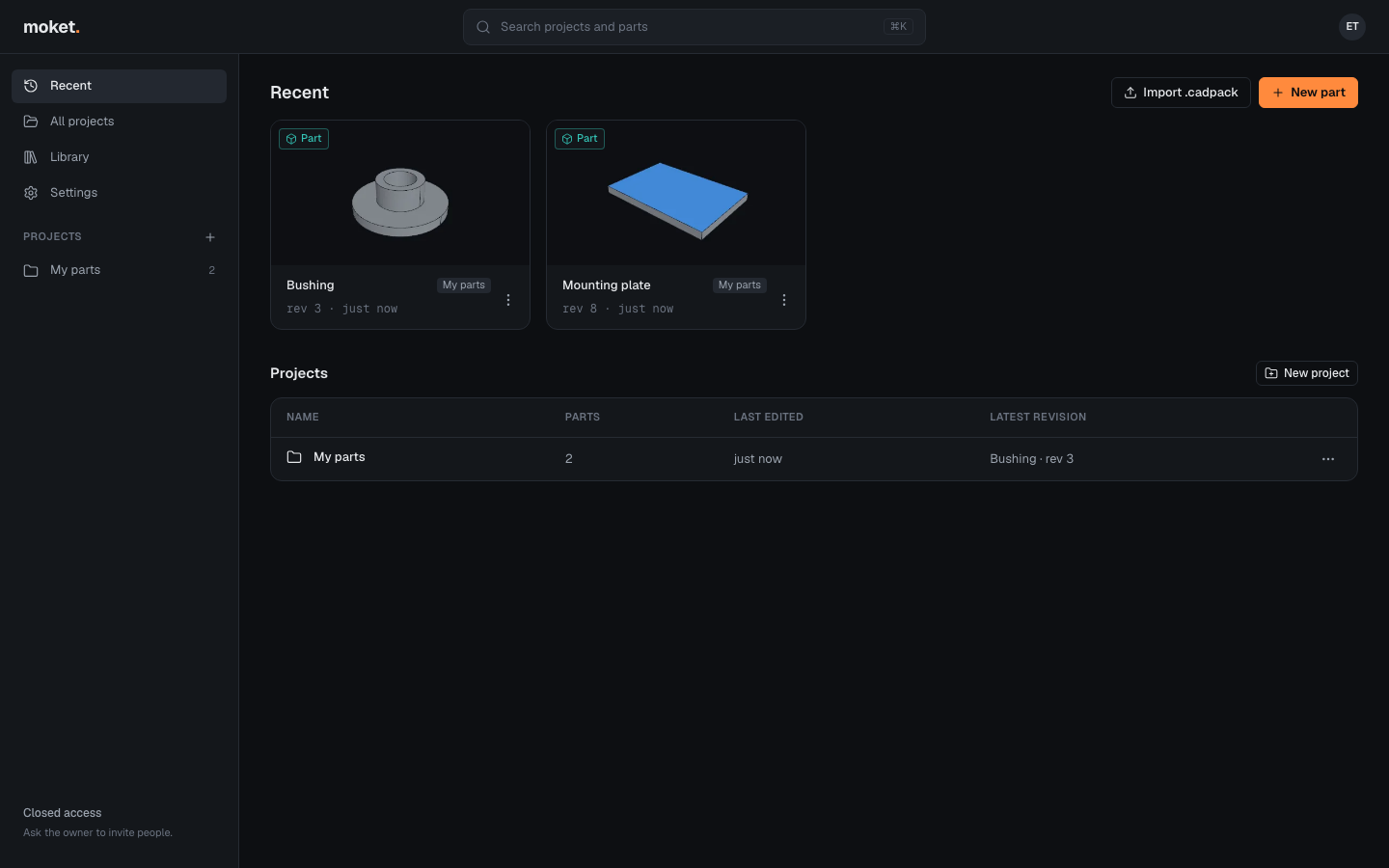
- Home opens with your recent parts and projects. Click New part to start one, or click a part to open it.
To learn the basics in a few minutes, follow Create your first part.
System requirements
| Item | Requirement |
|---|---|
| Browser | Latest Chrome, Edge, Firefox or Safari |
| Computer | Desktop or laptop; 8 GB of memory or more is recommended |
| Graphics | WebGL 2 support (any graphics card from the last several years) |
| Input | Mouse with a scroll wheel recommended; trackpad supported |
Tablets and phones are not supported.
Where your designs are stored
Your parts are saved in your Moket account in the cloud after every change, so they are there on any computer you sign in from. Moket computes the geometry on your own computer; the cloud keeps the parts' features, sketches and parameters. See How Moket saves your work.
To keep a copy outside Moket, save a part as a file: File > Save as .cadpack. See Open and save files.