
Sweep
Sweep moves a closed profile along a path to make a tube, a handle, a rail or a gasket groove. The path is the curves of a sketch, edges of the model, or both, joined end to end.
Access: Toolbar > Sweep.
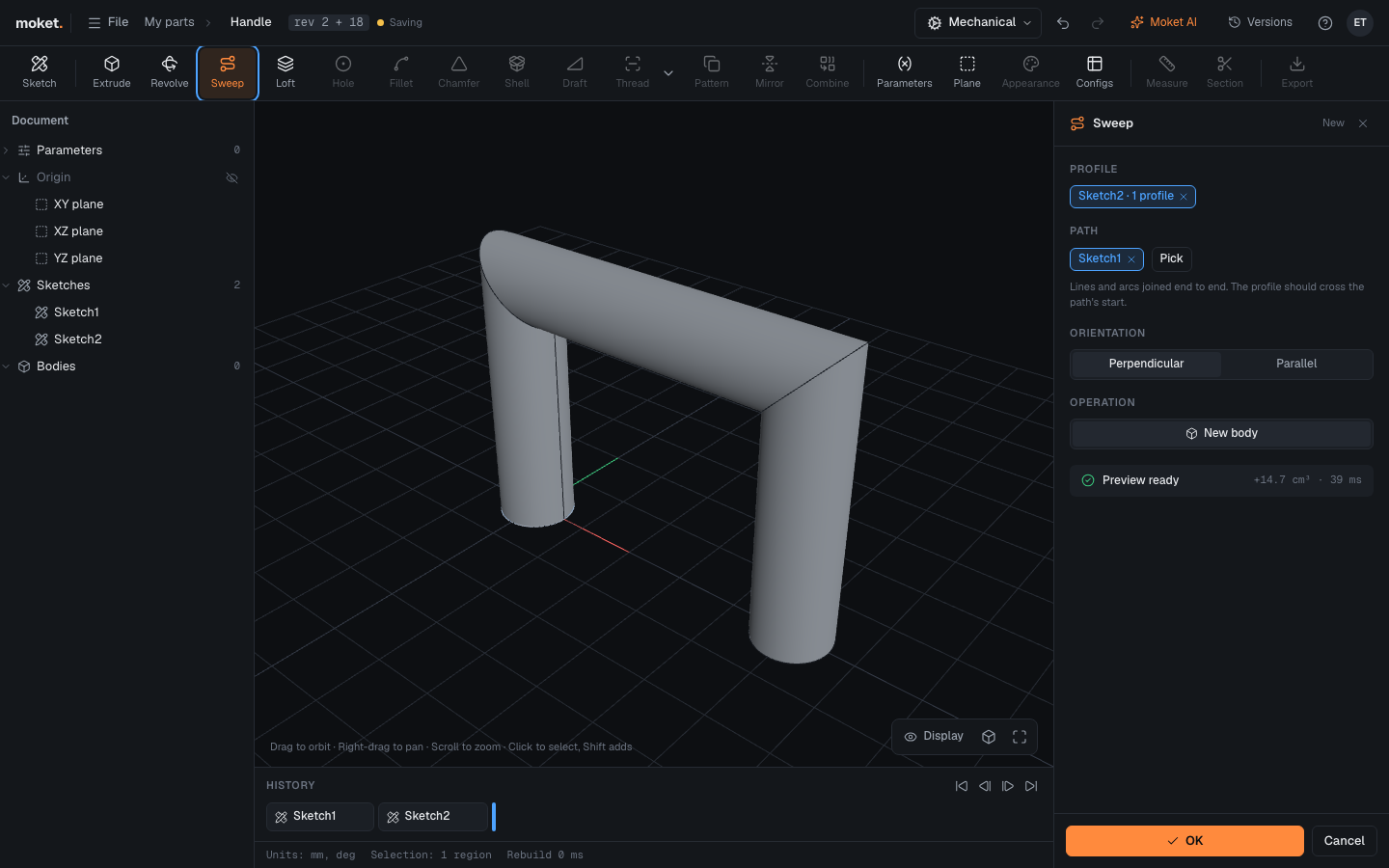
Steps
- Draw the path in a sketch: lines, arcs and splines joined end to end. Start it where the profile will be.
- Draw the profile in another sketch, on a plane across the start of the path.
- Click Sweep. The newest closed profile and the newest sketch of open curves are picked.
- To change the path, click Pick, then a curve of a sketch or edges of the model, and Done.
- Choose the Orientation and the Operation.
- Click OK.
Options
| Option | Description |
|---|---|
| Profile | Closed areas of one sketch |
| Path | A sketch of curves, model edges, or both, joined end to end |
| Orientation | Perpendicular: the profile keeps its angle to the path. Parallel: it keeps its direction in space |
| Operation | Join, Cut, Intersect or New body, as in Extrude |
Tips
- Round the corners of the path with arcs for a bent tube; sharp corners give mitred joints.
- Side faces are named after the profile curve and the path piece they come from, so features on them follow when the path changes.
Limitations
- A profile with holes, such as a ring for a hollow tube, needs a path without sharp corners. Use arcs at the corners, or sweep a disc and shell it.
- There is no twist along the path.
Troubleshooting
| Problem | What to do |
|---|---|
The path is not connected (PATH_NOT_CONNECTED) | The message shows where the gap is: join the curves there, or remove an extra branch |
| Sweep failed | The profile is too large for a tight bend: make the bend radius larger than the profile |