
Round sketch corners
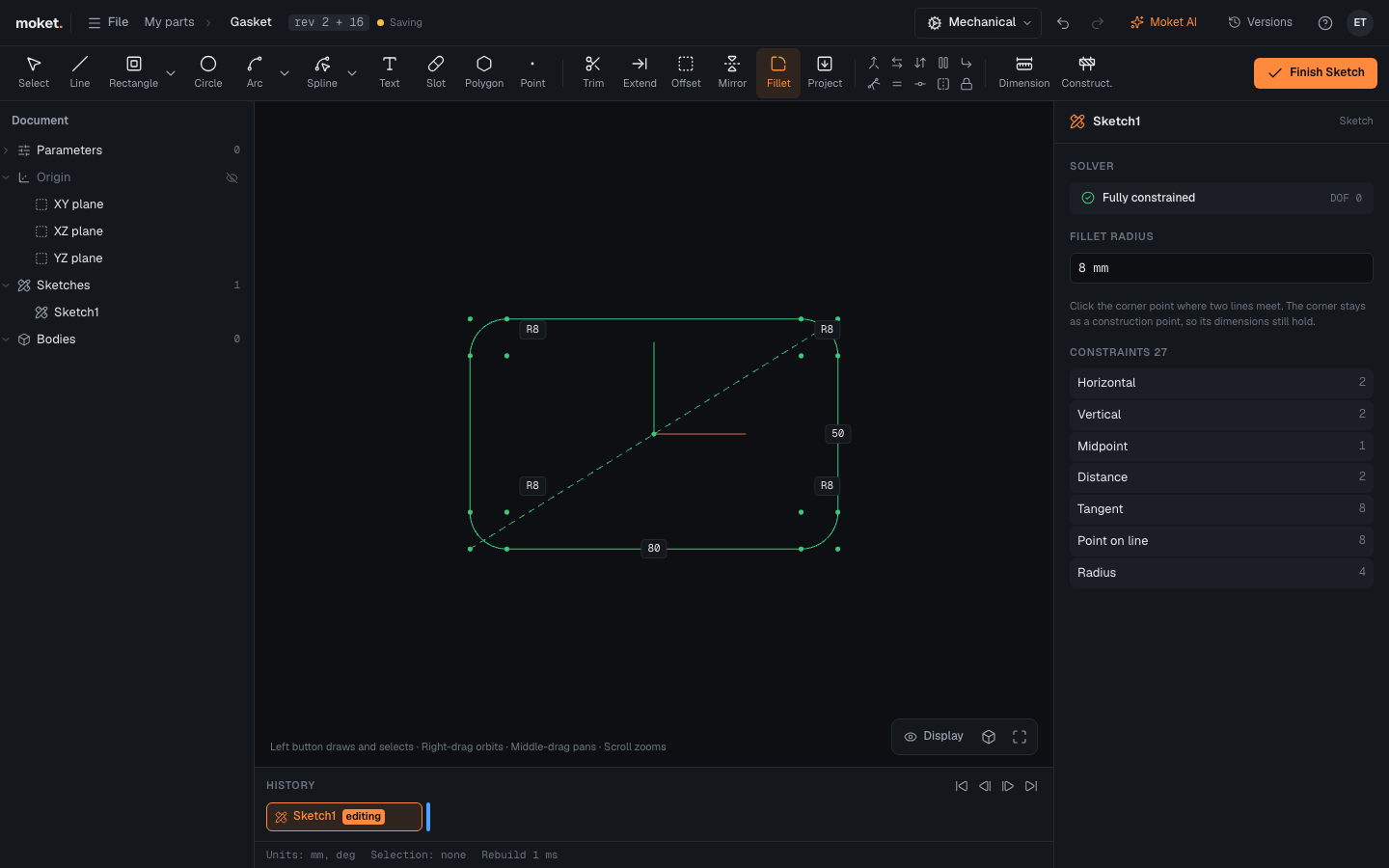
The sketch Fillet rounds the corner where two lines meet with an arc tangent to both. Use it for rounded outlines before you extrude, such as a plate with round corners.
Access: Sketch mode toolbar > Fillet.
Steps
- Click Fillet.
- In the right panel, enter the Fillet radius.
- Click the corner points to round. Each click rounds one corner.
The arc gets a radius dimension you can edit later. The sharp corner stays as a construction point on both lines, so dimensions to the corner still hold.
Limitations
- Only corners where exactly two lines meet can be rounded. Construction lines at the corner do not count.
- The radius must fit on both lines.
- To round the edges of a solid instead, use Fillet outside the sketch.